 Open WebIDE
Local and remote projects
A workspace determines where project files live. Model hosting is a separate choice: a remote project can use a LAN model server, and a local project can use a model server elsewhere.
| Capability | Remote project | Local project |
|---|---|---|
| Folder picker | App host's configured workspace | Browser device's folders |
| File access | Backend workspace mount | Browser File System Access API |
| Editor and file workflows | Shared app behavior | Shared app behavior |
| Commands and Git | Host execution bridge | Bridge on the browser device that can access the folder |
| Directory access after reload | Host mount remains available | Browser may require permission again |
Remote projects
From the app menu, choose Open remote project, navigate to a folder under the configured workspace, and choose Select folder.
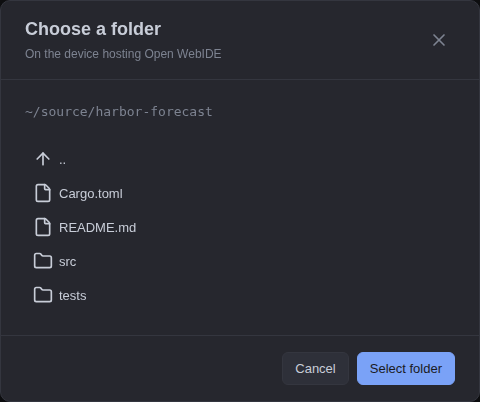
In containers, OPENWEBIDE_WORKSPACE selects the host directory mounted as
/workspace. The agent's commands run on the bridge host, using the tools installed
there. Installing a compiler on your browser's computer does not install it in
the container.
Remote projects also support switching devices: your desktop and phone connect to the same host files and database-backed sessions. Mobile browsers without directory picking can use remote projects through private HTTPS.
Local projects
Choose Open local in a browser supporting the File System Access API. Folder access requires a secure context: localhost works for development, and HTTPS is the route for other devices. Grant permission to the folder when the browser requests it.
The app stores the directory handle in origin-bound IndexedDB; project/session metadata and preferences remain database-backed. Reopening from another device does not grant that device access to the original device's files.
Commands and Git need a bridge on the device holding the folder. The bridge must see the selected project within five directory levels of its workspace; matching uses a temporary probe file that is removed afterward. Without a reachable, matched bridge, those tools are hidden and Chat explains the missing capability. File editing can still use browser folder access.
See bridge setup and pairing for configuration. The app does not upload the entire local project to turn it into a remote workspace.