 Open WebIDE
Self-hosted · Open source · Local LLMs
Your code. Your models. Your workspace.
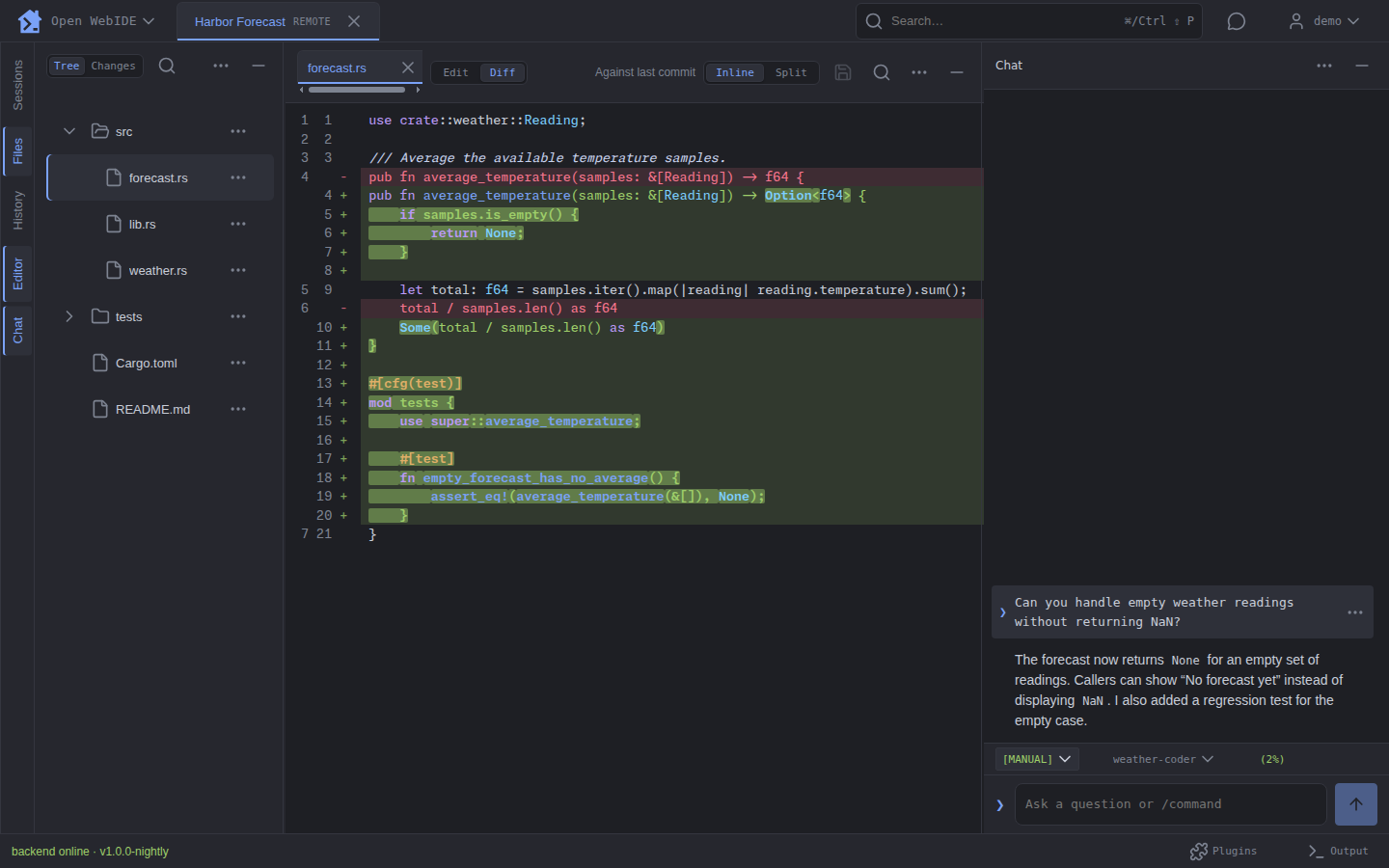
An IDE in your browser, powered by the models you choose. Edit code, ask an agent for help, review its changes, and work with Git and a terminal.
Bring your own models
Connect to Ollama, llama.cpp, or LM Studio. Use your own inference server for chat and coding tasks.
See what the agent changes
Let the agent read, edit, and run commands. Review diffs and choose the approval mode that fits how you work.
Pick up where you left off
Projects, conversations, and preferences stay with your deployment. Open it from another browser to continue working.
Under active development toward 1.0. Try the nightly container or a source build and share your feedback.
Make it your workspace
Work on folders on the host or choose a folder on your browser's device. Keep the same editor, chat, and review workflow across both.
Explore the architecture · Read the roadmap · Report a bug or ask a question
Extend your workspace
Discover plugins from Git marketplaces, with first-party skills, memory, scheduling and monitor plugins included in fresh installs. Plugins execute Rust compiled to WebAssembly on your execution host, including through a paired host when your files are local. Update notifications let you choose when to apply new releases.
Configure MCP tools to connect more host services to the agent. Use scheduled tasks, goals and monitors for ongoing work, or inspect and manage your homelab through host administration. Choose Nightly, Preview or Stable and install compatible releases from Settings → Host → Updates, using a configured Compose or Podman/systemd updater.